Sharing is personal, so the defaults are private
Some people post every weigh-in. Others want to share that something is working without a number, a photo or the name of a prescription drug attached. Both are fine, and the card should follow your choice, not the other way round.
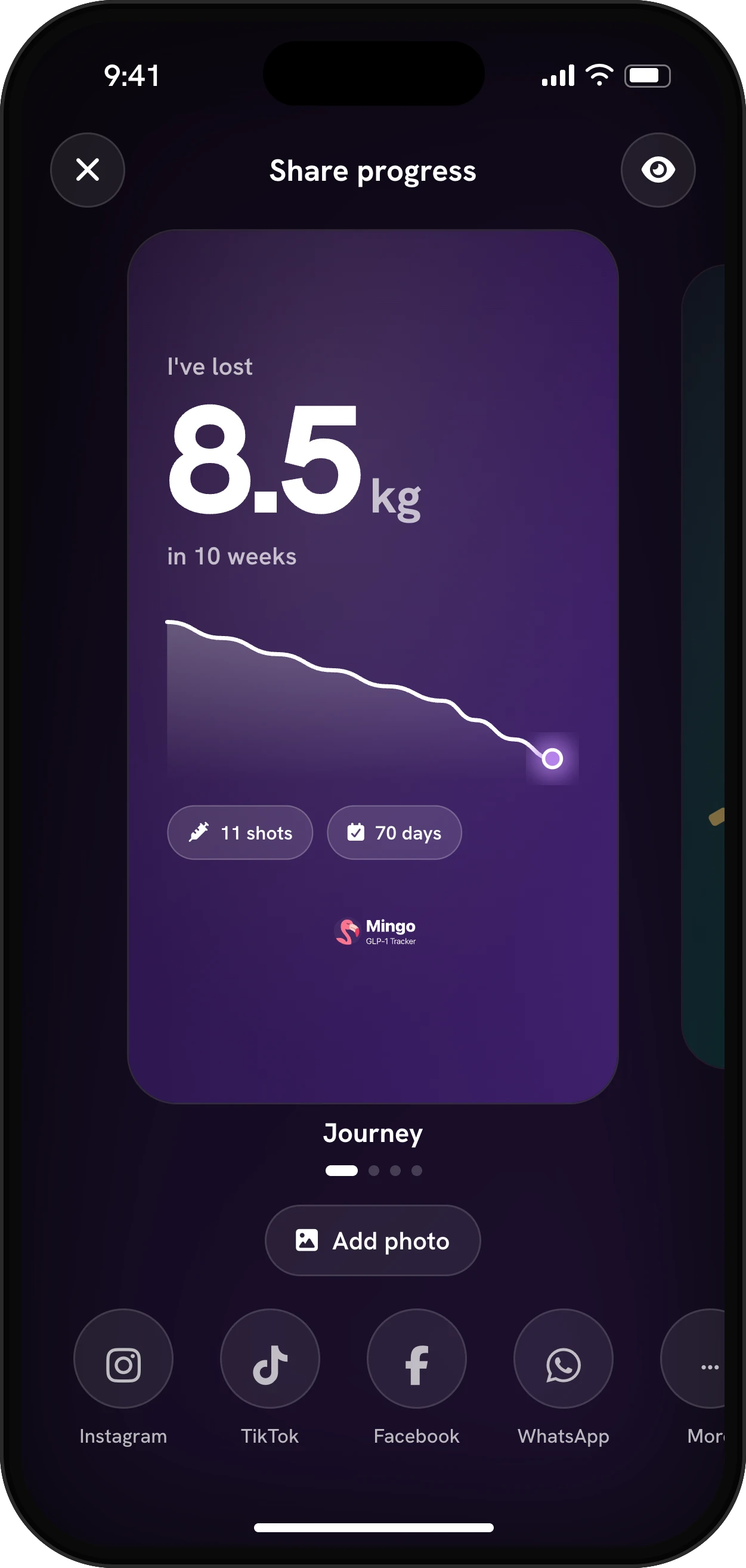
That’s why Mingo’s share cards start private. Out of the box, a card shows how much you’ve lost and over what period, with a small chart. Your starting weight, your current weight and your medication name are hidden until you turn them on.
Progress isn’t only a number
Search for weight loss progress and you’ll mostly find before and after photos. Those are one way to show it, but they aren’t the only one, and on a slow week they can be the least encouraging. A progress card can lead with whichever of these feels most true right now:
| Kind of progress | What it shows | Where it comes from in Mingo |
|---|---|---|
| Percent lost | Change relative to where you started, without revealing your weight | Your weigh-ins |
| Before and after | What the scale can’t, like posture, fit of clothes, face | Your progress photos |
| A milestone | A specific step reached, like 5% or halfway | Your weight goal |
| A streak or recap | That you kept showing up | Your logging history |
Picking the right one for the moment is half the point. Some people share a percentage for months and a photo only at the end, others never share a number at all.
The card styles
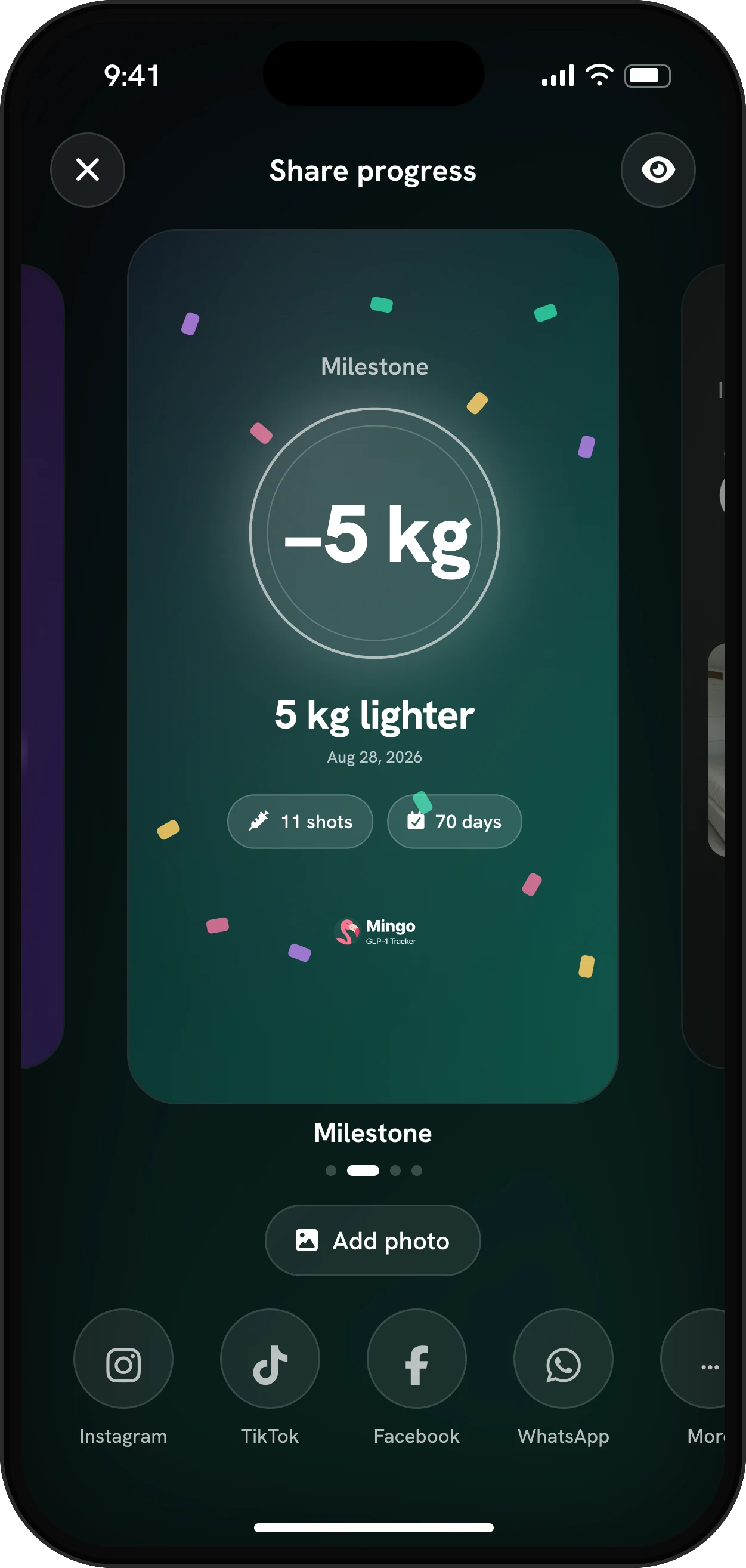
Open Share my progress from your profile and swipe between five styles, each built from what you’ve logged:
- Journey: weight lost, the time it took and a chart of the trend.
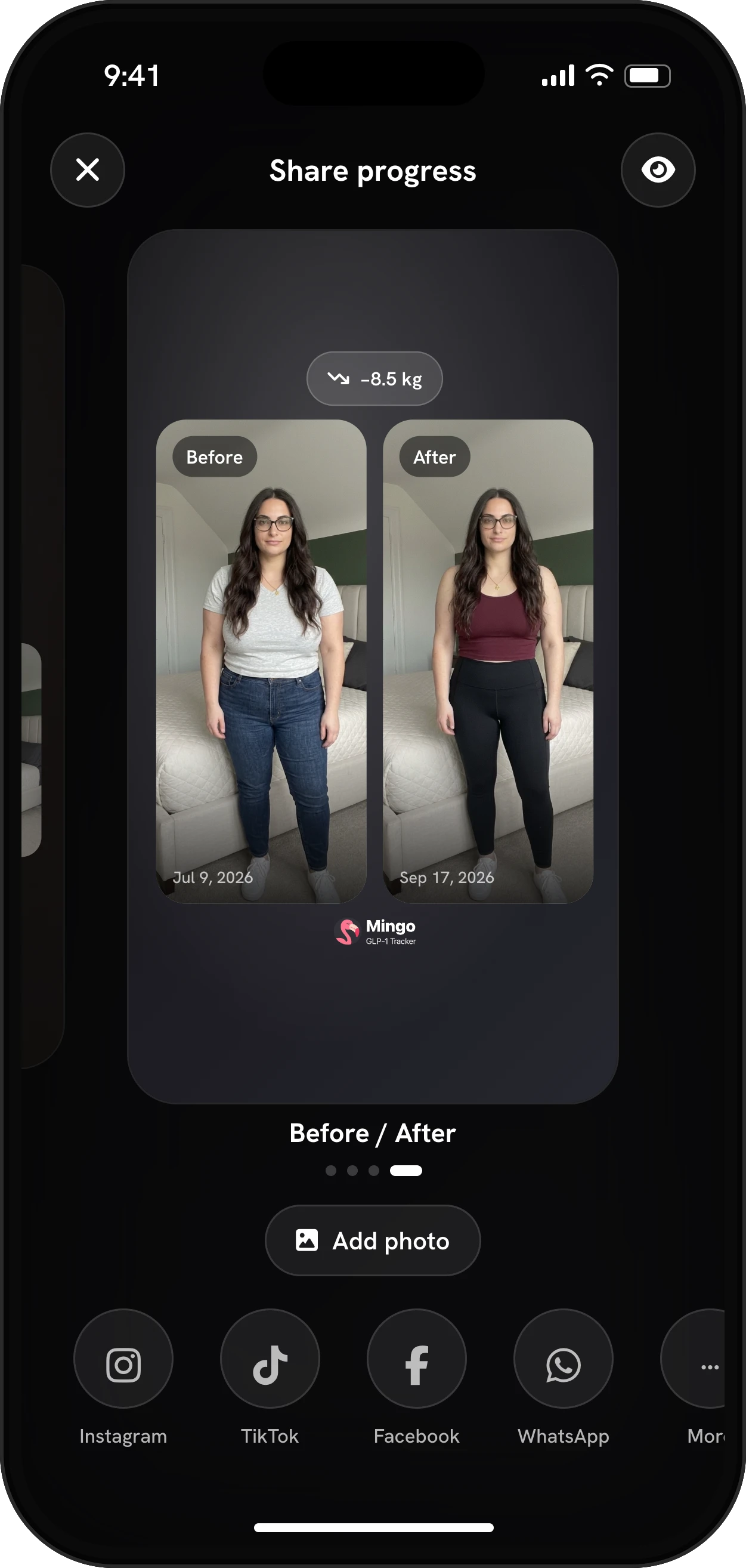
- Before / After: two moments side by side, with photos if you add them.
- Photo: a strip of your progress photos with your result.
- Milestone: a badge for a weight milestone you’ve reached, like 10 lb or 5% of your starting weight, with the date.
- Goal: for the day you reach your goal weight.
When you hit a weight milestone, Mingo also offers to make the card for you on the spot. You can share it or tap not now.
You decide what shows
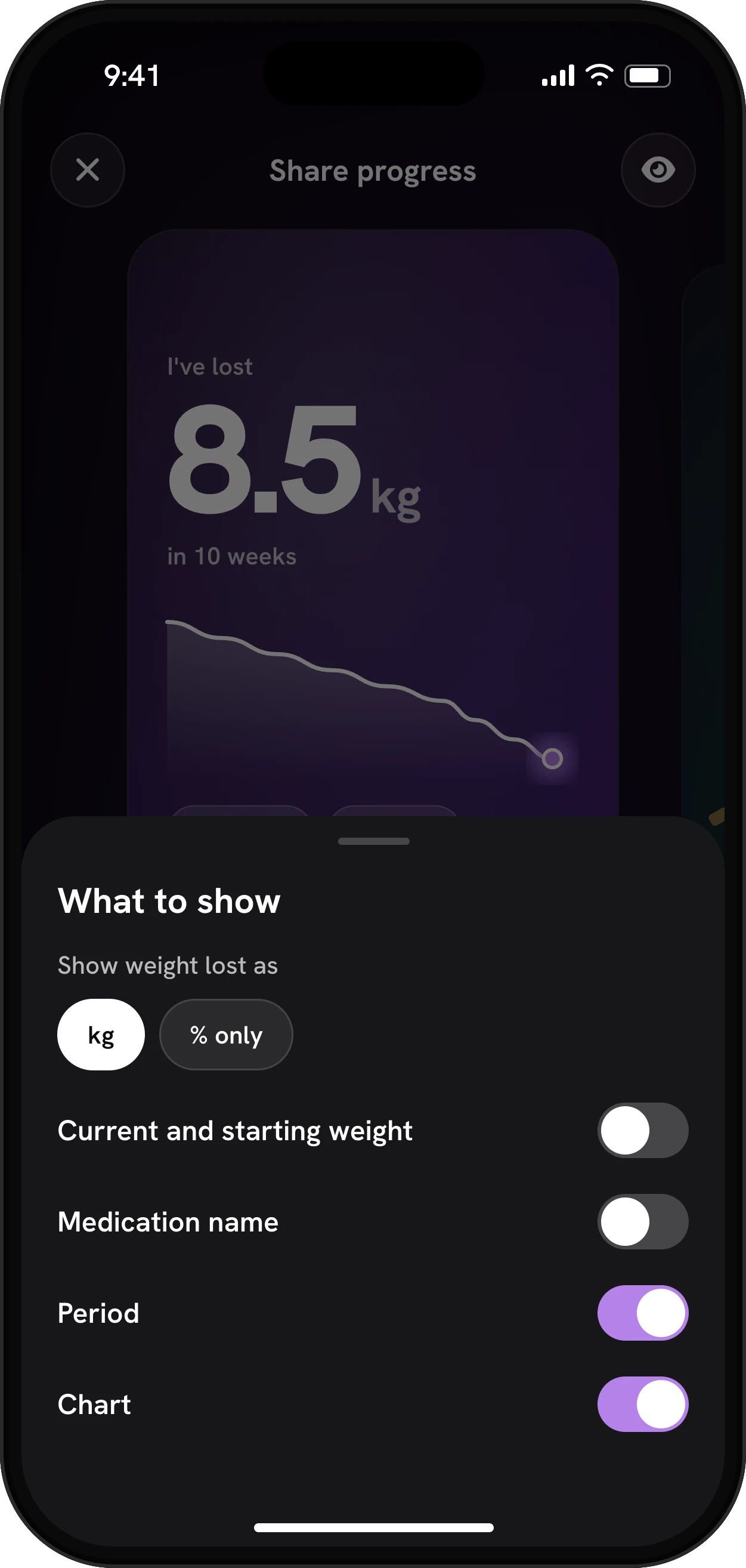
Tap What to show and set each part of the card:
| Setting | Options | Default |
|---|---|---|
| Show weight lost as | In your unit (lb or kg), or % only | In your unit |
| Current and starting weight | On or off | Off |
| Medication name | On or off | Off |
| Period | On or off | On |
| Chart | On or off | On |
With % only and the weights off, a card might say you’re 8% lighter in 12 weeks and nothing more. Our weight loss percentage calculator does the same math if you want to check it.
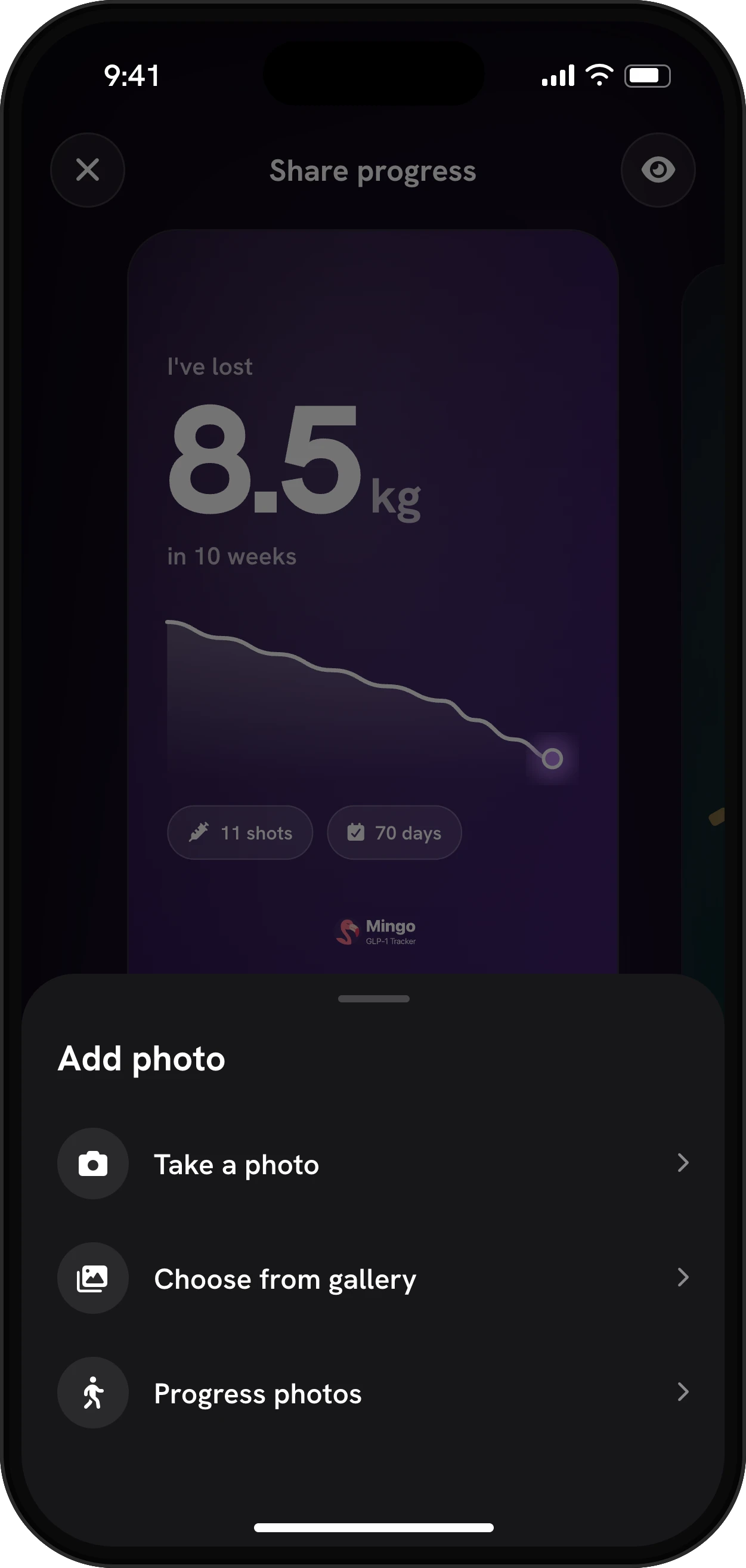
Photos are optional too. Pick one of your progress photos, take a new one with the camera, choose from your gallery, or leave the card without a picture. You can change or remove the photo before sending.
Where it goes
Share straight to Instagram, TikTok, WhatsApp or Facebook, save the card to your photos, or tap More for your phone’s share menu. Cards are sized for stories. For TikTok, Mingo saves the card to your photos so you can pick it in the app.
Unwrapped: your journey as a story
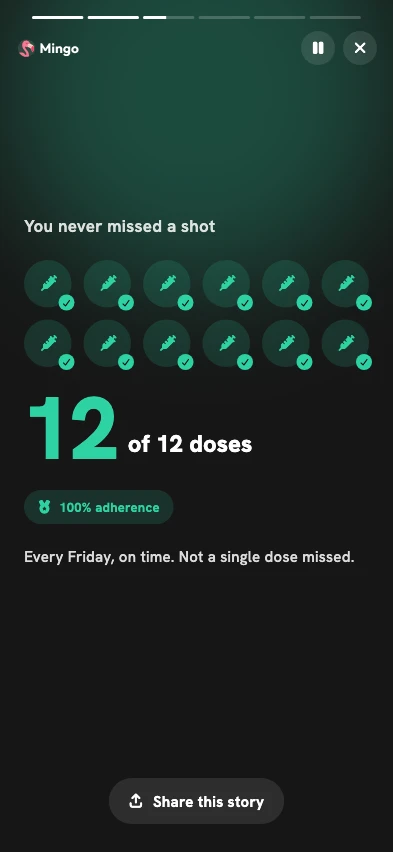
Unwrapped turns your time with Mingo into a short, tap-through recap, like the year-in-review stories music apps make. Each page is built from your logs:
- Your journey so far: how many days you’ve been with Mingo and how many of them you showed up.
- You’re lighter by: your weight change, compared with an everyday object, from a bag of sugar to a golden retriever.
- Your shots: doses logged, your adherence and the weekday you usually take them.
- Your plate, in numbers: meals, protein and the days you hit your fiber goal.
- Your longest streak: your record run, its dates, and how far you are into the next one. More on streaks and achievements.
- Your photos: how many progress photos you’ve taken, with the first and the latest.
A page only appears when it has data, and the recap opens once at least three pages are ready. Until then, Mingo tells you to keep logging and it’ll unlock on its own. At the end, swipe to the page you want to share. Unwrapped is part of Mingo Pro.
Why sharing can help
Telling people about your goals and progress is a personal decision. What the research does support is keeping a record: a review of self-monitoring studies found tracking weight and food consistently linked to more weight lost (Burke et al., 2011). A card or a recap is simply a way to look back at that record and, if you want, let the people cheering for you see it too.
Other things you can share
A logged meal can become a card with its calories, protein, carbs and fat. From the photo compare screen, you can share a before-and-after with or without your weight, and your progress photos can be turned into a transformation video. All of it lives in your Mingo log on your phone, and nothing is posted unless you send it.

