Why a written record of every shot helps
Weekly shots are easy to lose track of. By Thursday it can be hard to remember whether you injected on Sunday or Monday, which side of your stomach you used, or whether this is your third or fourth week on the new dose. Those details matter more than they seem. The US labels for semaglutide and tirzepatide ask you to take the shot on the same day each week, to rotate the injection site with each dose, and to keep doses a minimum number of days apart if you move your shot day (Ozempic and Mounjaro prescribing information, section 2). Following all three is much easier when the answers are written down.
A record also helps at your appointment. When your prescriber asks how the last dose step went, “I think the nausea got better after a couple of weeks” is a guess. A log that shows the dose, the dates and how you felt each day is an answer.
A checklist of what to track
If you’re building your own log, on paper or in an app, these are the things worth writing down, and why:
| What to record | Why it matters |
|---|---|
| Medicine and dose | Dose steps change every few weeks at the start, and side effects often follow a step |
| Date and time | The labels ask for the same day each week and a minimum gap if you move it |
| Injection site | The labels ask you to rotate the site with every dose |
| Side effects and how strong they were | Shows whether nausea or constipation eases as your body adjusts |
| Weight | Lets you and your prescriber see progress per dose rather than per week |
| What you ate, especially protein | Appetite drops on GLP-1 medicines, so it’s easy to eat too little |
Mingo covers every row of that table in one app, and the GLP-1 food tracker and side effect tracker pages explain the last three.
What Mingo records for each shot
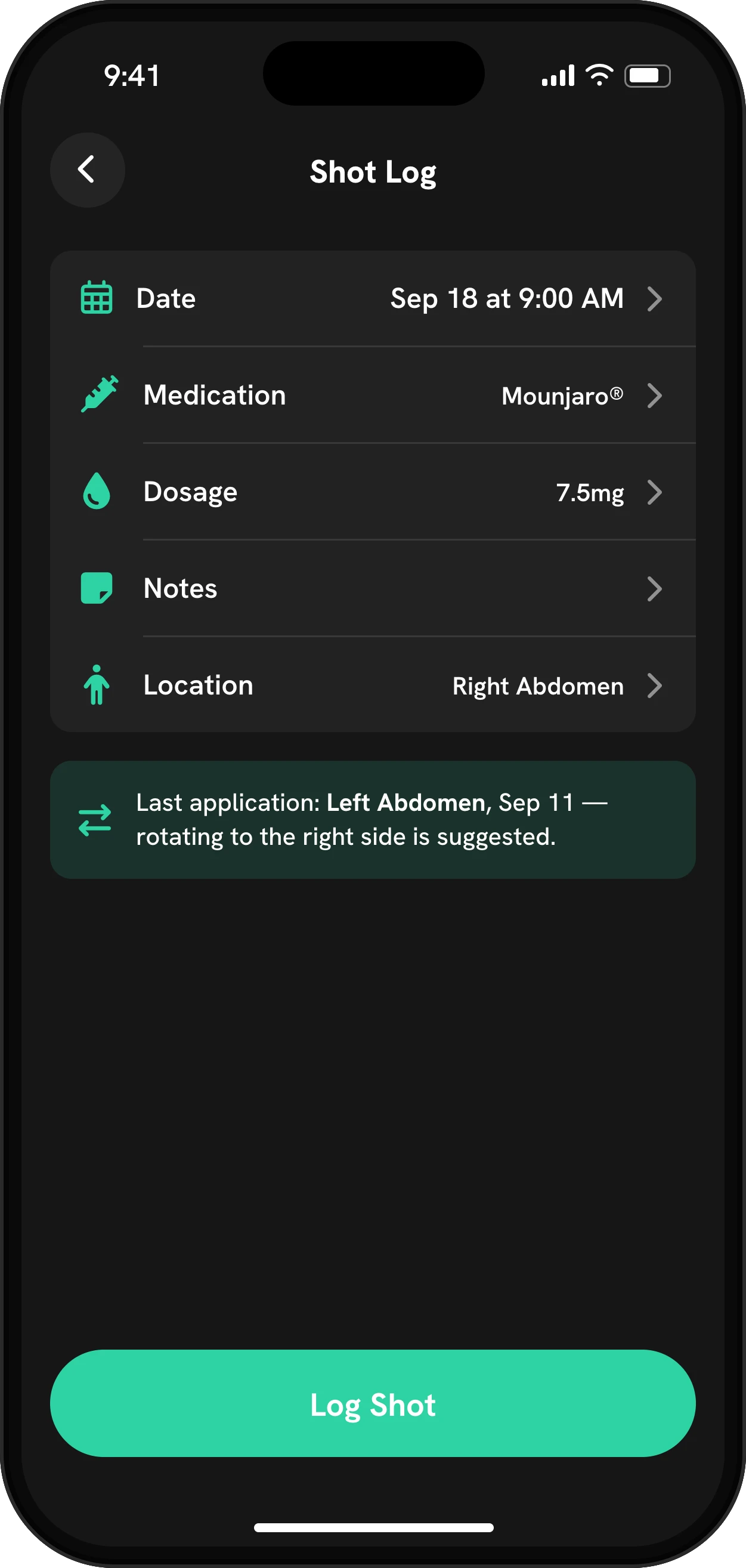
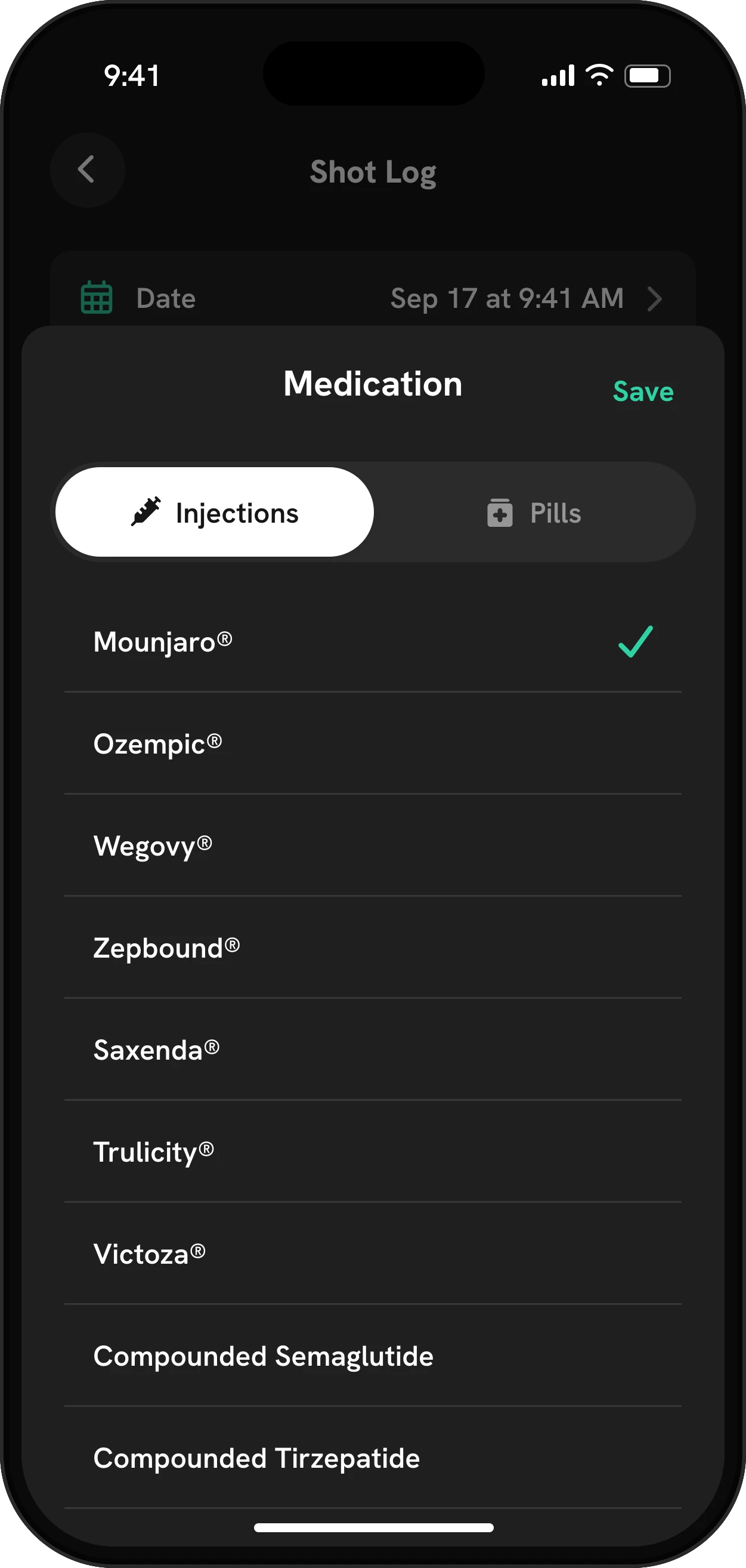
Every entry holds the medicine, the dose in mg, the date and time, the injection site and an optional note. That’s the minimum a good shot log needs, and it’s what the paper logs some clinics hand out ask for too.
The site is picked on a body map with 12 spots: upper and lower abdomen on the left, center and right, the inner and outer thigh on each leg, and each arm. Next time you log, Mingo tells you where you injected last and suggests the other side. The injection site rotation page explains how that works and what the labels say about rotating.
If you take a tablet instead, such as the Wegovy pill, Rybelsus or Foundayo, the same screen logs the dose without the site picker. The GLP-1 pill tracker page covers the daily routine.
A schedule that fits your medicine
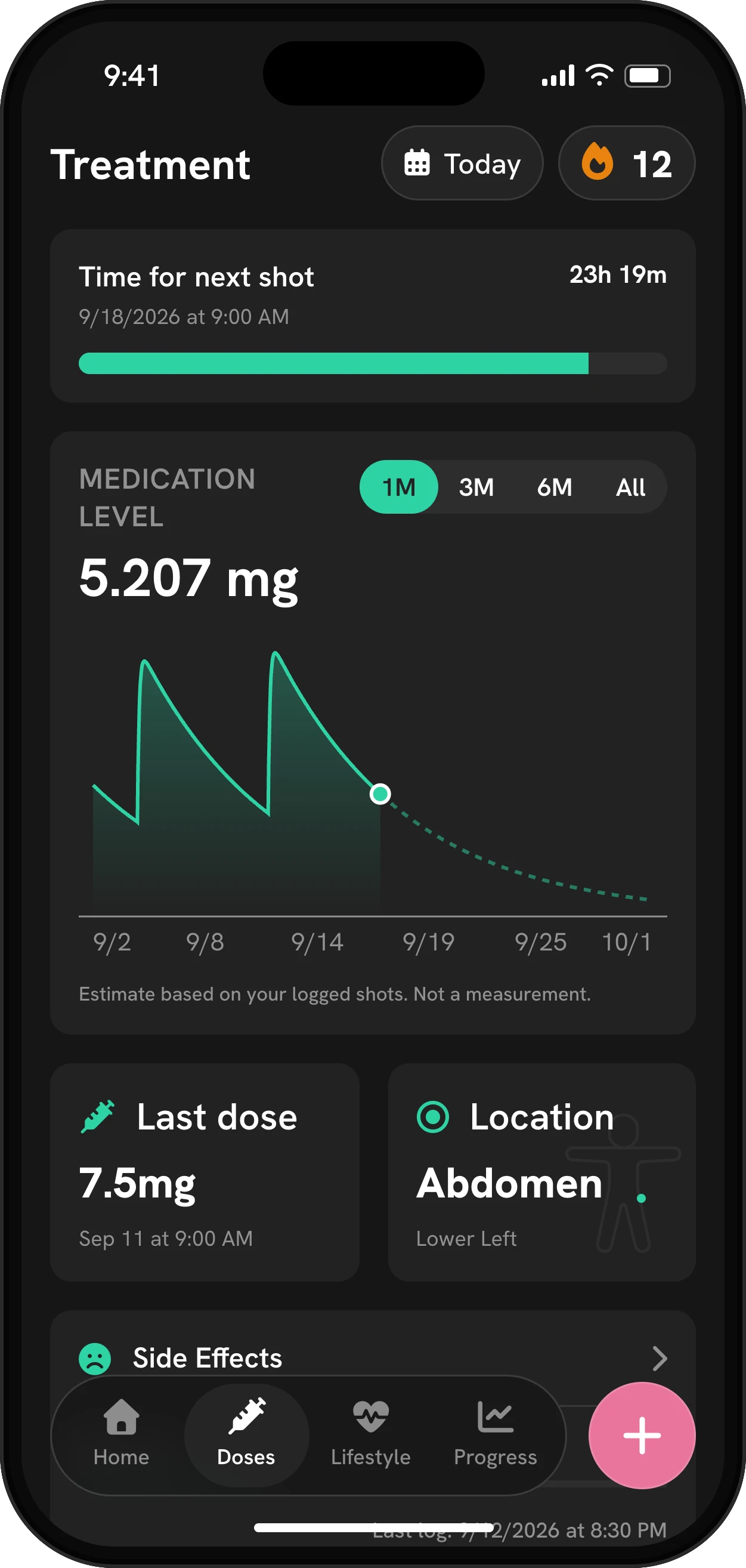
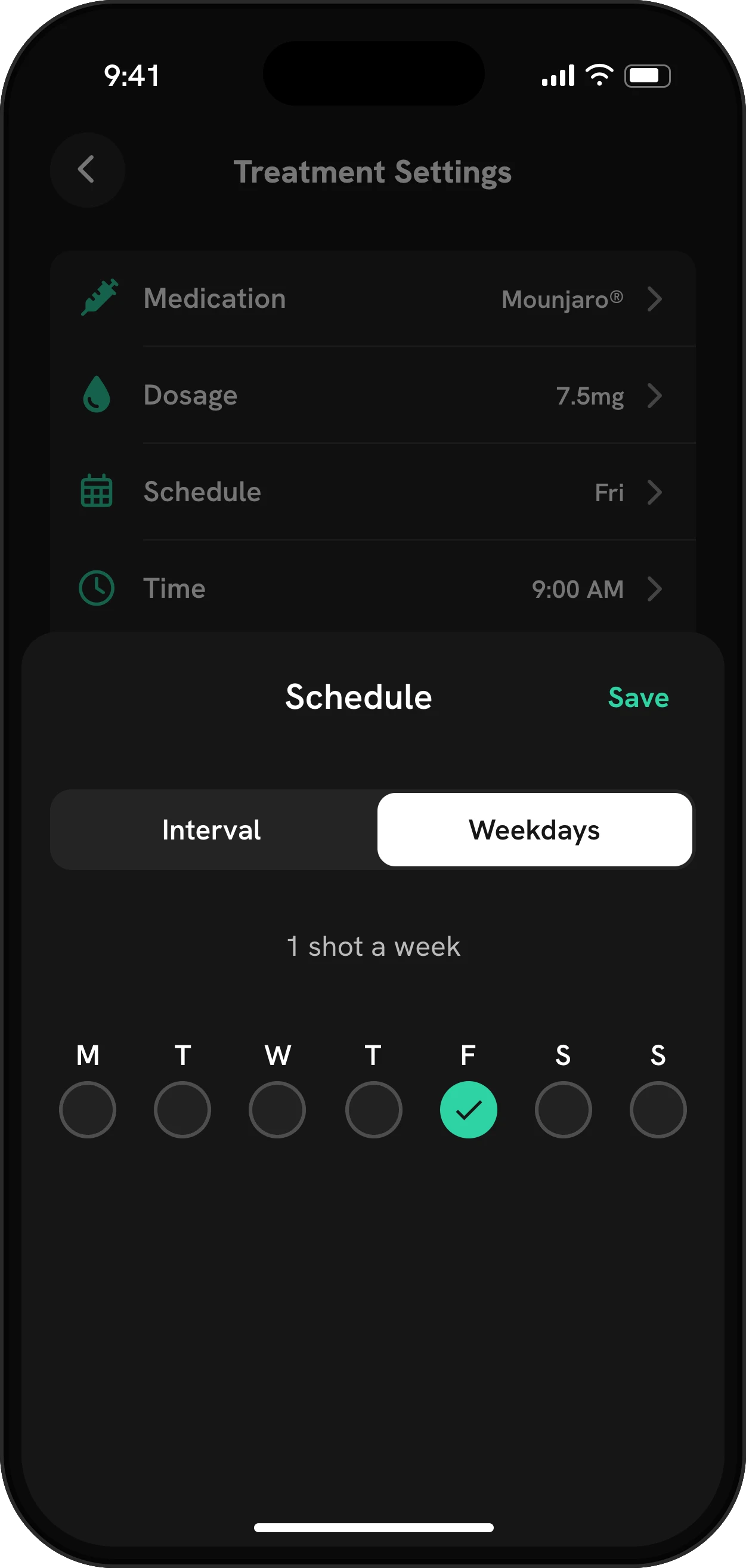
Most GLP-1 shots are weekly, but not all. Mingo’s schedule can repeat on one weekday, on several weekdays, or every set number of days, so it fits Ozempic or Zepbound, daily Saxenda or a pill, or an interval your prescriber chose. The treatment screen then counts down to the next dose, and the home screen’s week strip marks the days you logged.
If you’re starting out and don’t have a fixed day yet, Mingo can suggest one. It asks which day your appetite is hardest to manage and picks the shot day whose estimated peak lands there. The best day for your shot page explains the model behind it.
Reminders that know whether you logged
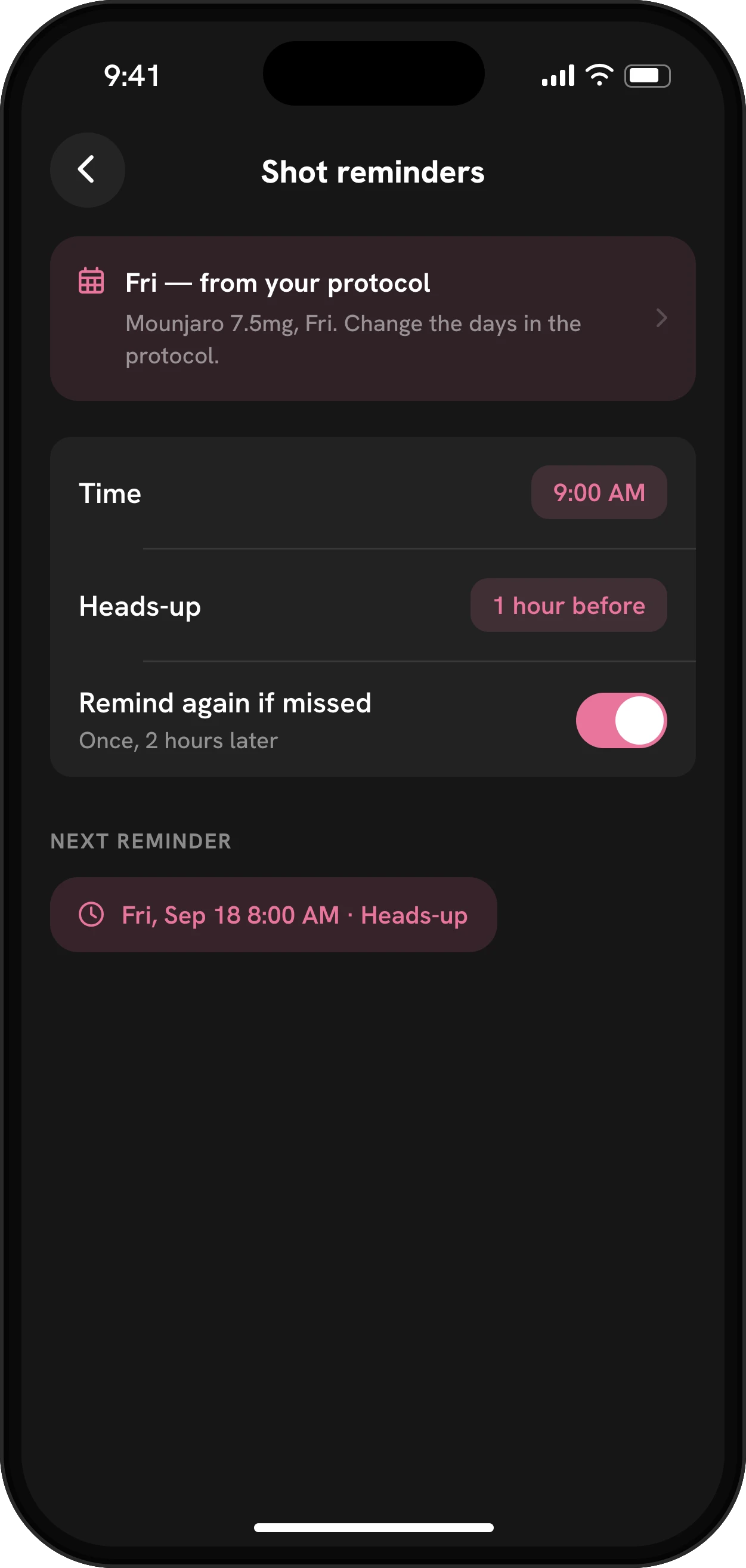
You choose the time of your shot reminder. You can add a heads-up 30 minutes, 1 hour, 2 hours or a day before, and turn on one extra nudge two hours later if you haven’t logged the dose. Because the nudge checks your log, it stays quiet once the shot is in. Meal and water reminders live on the same settings screen. See dose reminders for every option.
Your doses on the same timeline as everything else
A shot log on its own tells you what you took. The value comes from lining it up with what happened next. In Mingo:
- The estimated medication level chart draws a curve from your logged doses and the medicine’s published half-life, about one week for semaglutide and about five days for tirzepatide according to their labels. It’s a model, not a lab measurement. More on the medication level page.
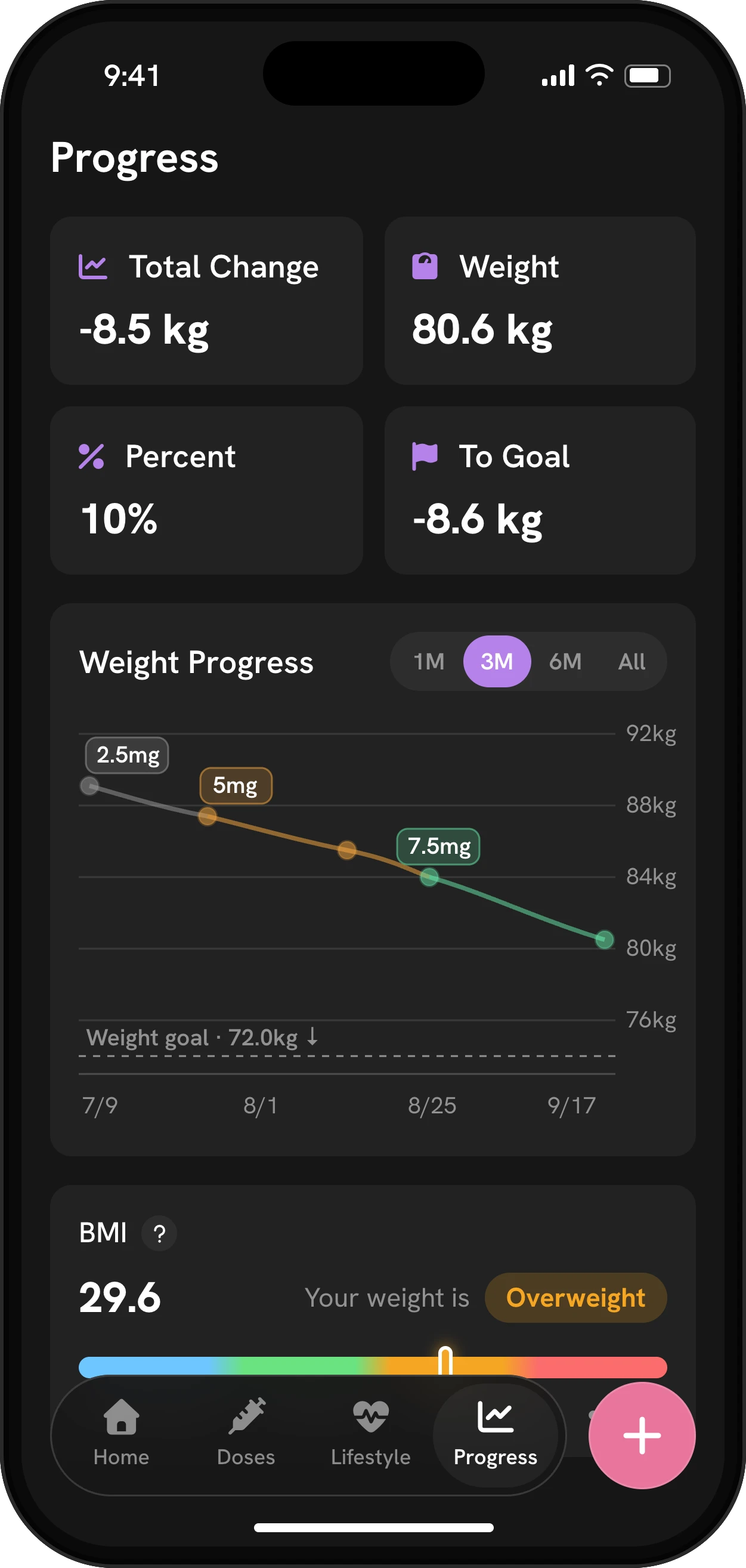
- The weight chart colors each stretch by the dose you were on, so a plateau or a drop lines up with a dose change.
- Side effects are charted against your estimated level, so you can see whether nausea clusters in the day or two after a shot.
Missed or late doses
Life happens. If you miss a shot, the label for your medicine says whether to take it late or skip it, and the rule differs between medicines. Our missed dose calculator applies each label’s rule to your dates, and the dose schedule calculator lays out the dose steps on a calendar. In Mingo, you can log a late dose with its real date and time so your history and level chart stay accurate. Mingo doesn’t decide what you should do: ask your prescriber or pharmacist when you’re unsure.
Taking your history to your appointment
Everything you log can go into a PDF report for the period you choose, with your doses, estimated levels, weight, food and side effects. You can also export a backup file of your whole log. There’s no account to create, and your log stays on your phone.
Getting started
Download Mingo, choose your medicine and dose, set your schedule and log your most recent shot. From then on, each shot takes a few seconds, and the reminder, the site suggestion and the charts take care of the rest.


