Why bring a report at all
GLP-1 appointments are short, and they come at the worst time for memory: four, eight or twelve weeks after the last one. Your prescriber wants to know how much weight you’ve lost on the current dose, how bad the side effects were after the last step-up, whether you’re eating enough, and if you missed any doses. Most people answer from memory, and memory rounds everything off.
A report replaces “I think I lost about ten pounds and felt sick for a bit” with dates, doses and numbers. It gives your prescriber what they need to decide whether to step up, stay put or slow down, and it leaves more of the appointment for your questions.
What the report covers
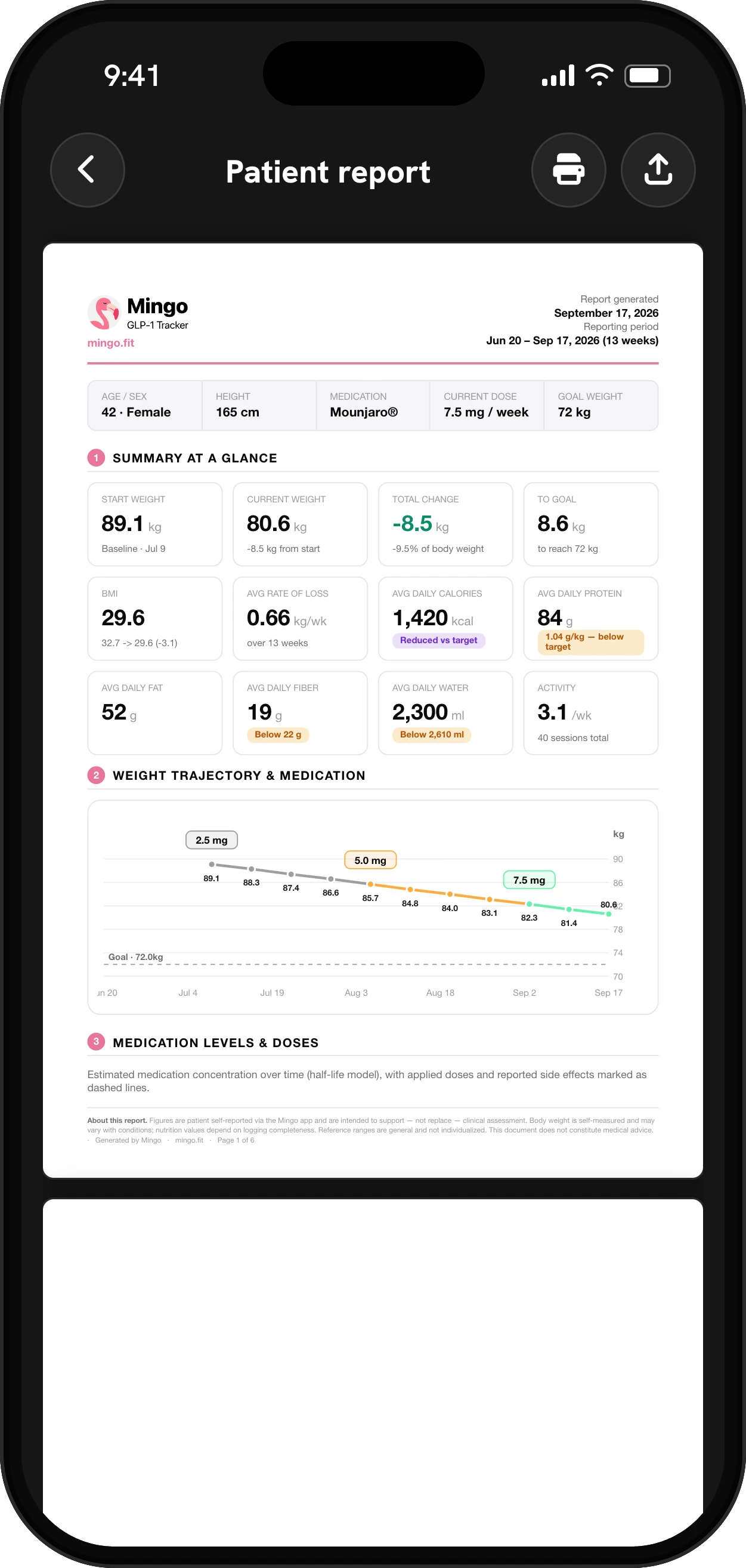
Mingo builds the PDF from your own logs, for the period you pick. It opens with a summary at a glance: your medication and current dose, height and goal weight, then cards for start weight, current weight, total change, distance to goal, BMI and average rate of loss, along with average daily calories, protein, fat, fiber and water and your activity.
The next sections go deeper:
- Weight trajectory and medication. Your weight over the period with the doses you took, so a plateau or a drop lines up with a dose change.
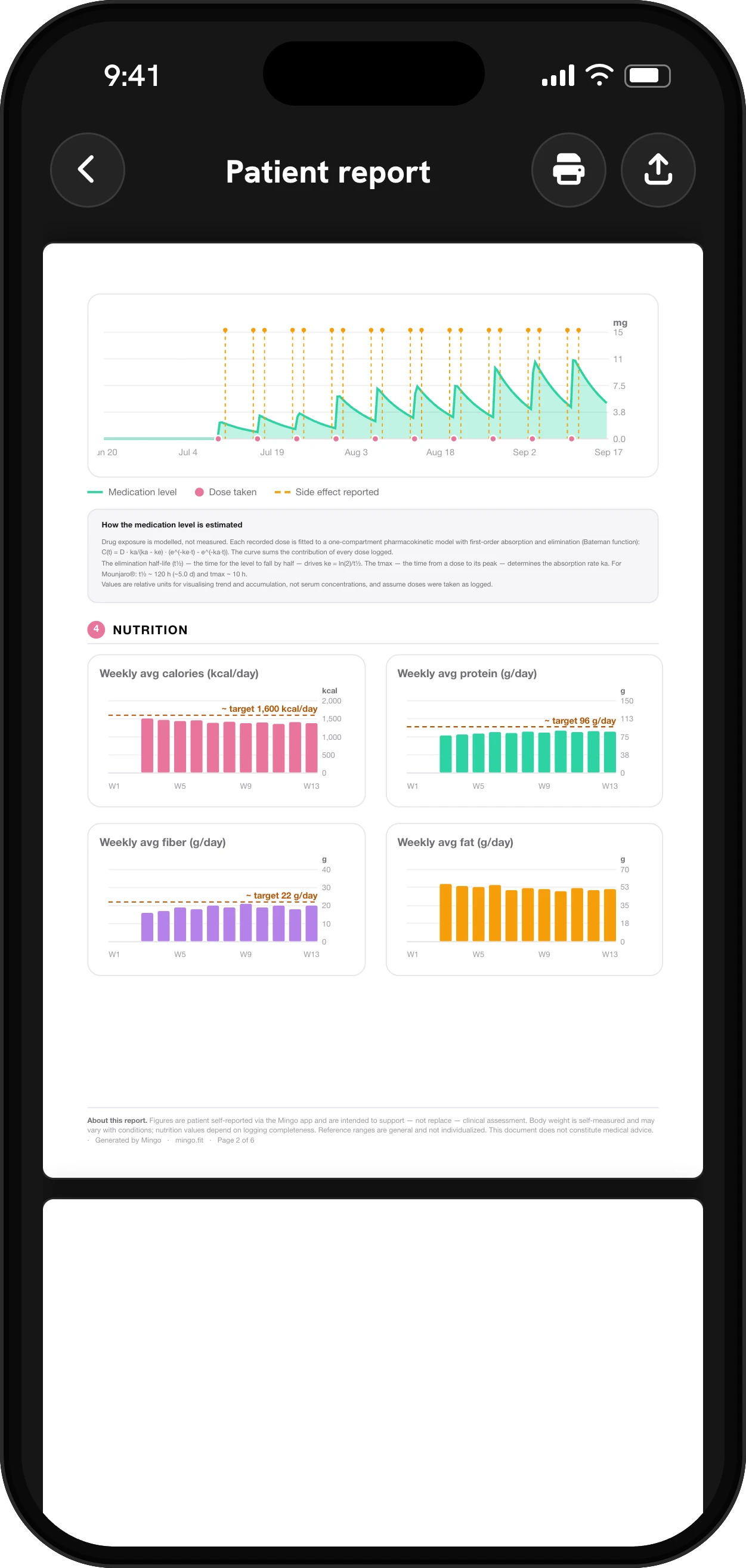
- Medication levels and doses. The estimated concentration curve, with each dose and each side effect you reported marked on it.
- Nutrition. A table of your daily averages against your plan targets, weekly charts for calories, protein, fiber and fat, and your calorie pattern by day of the week.
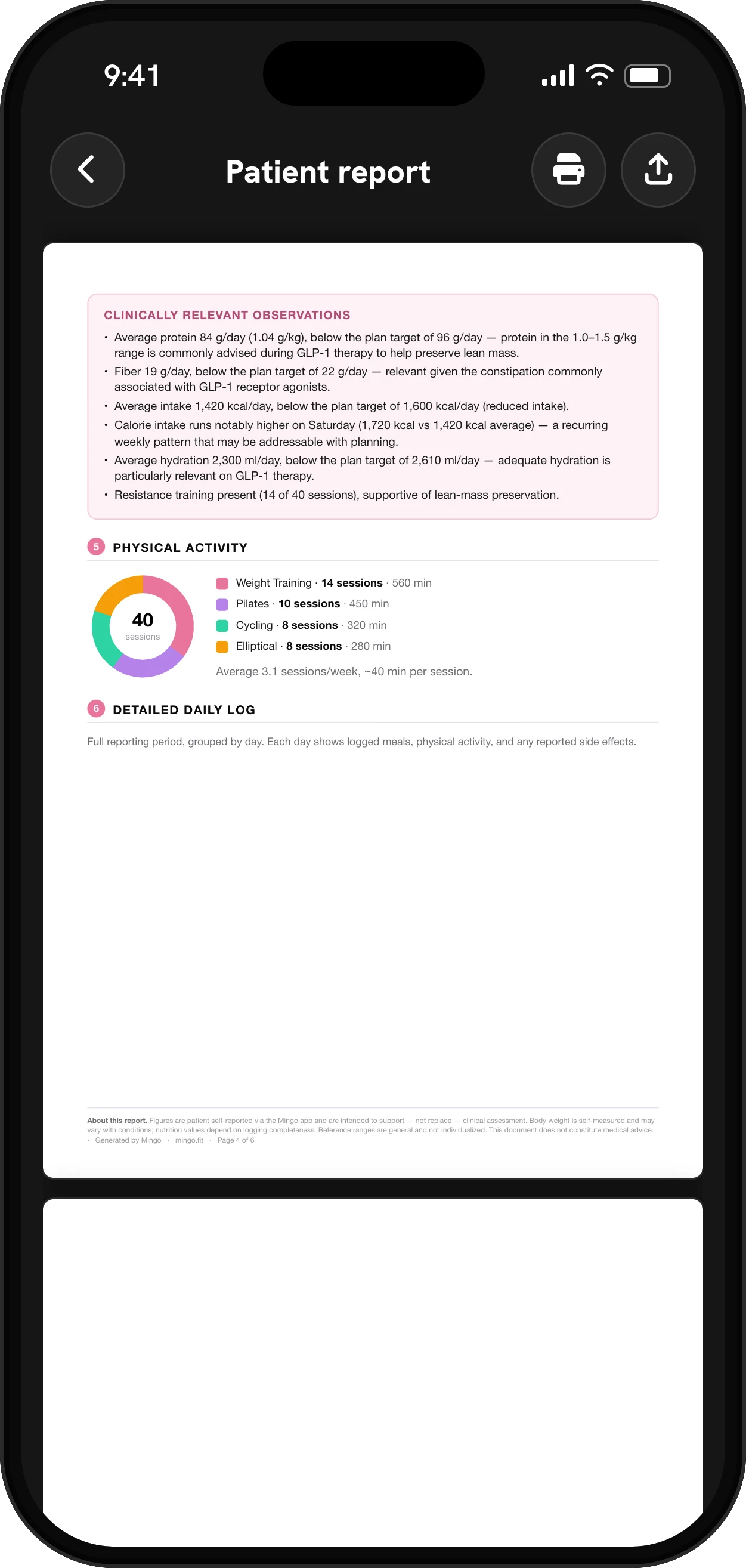
- Physical activity. What you did and how often, including workouts brought in from Apple Health or Health Connect.
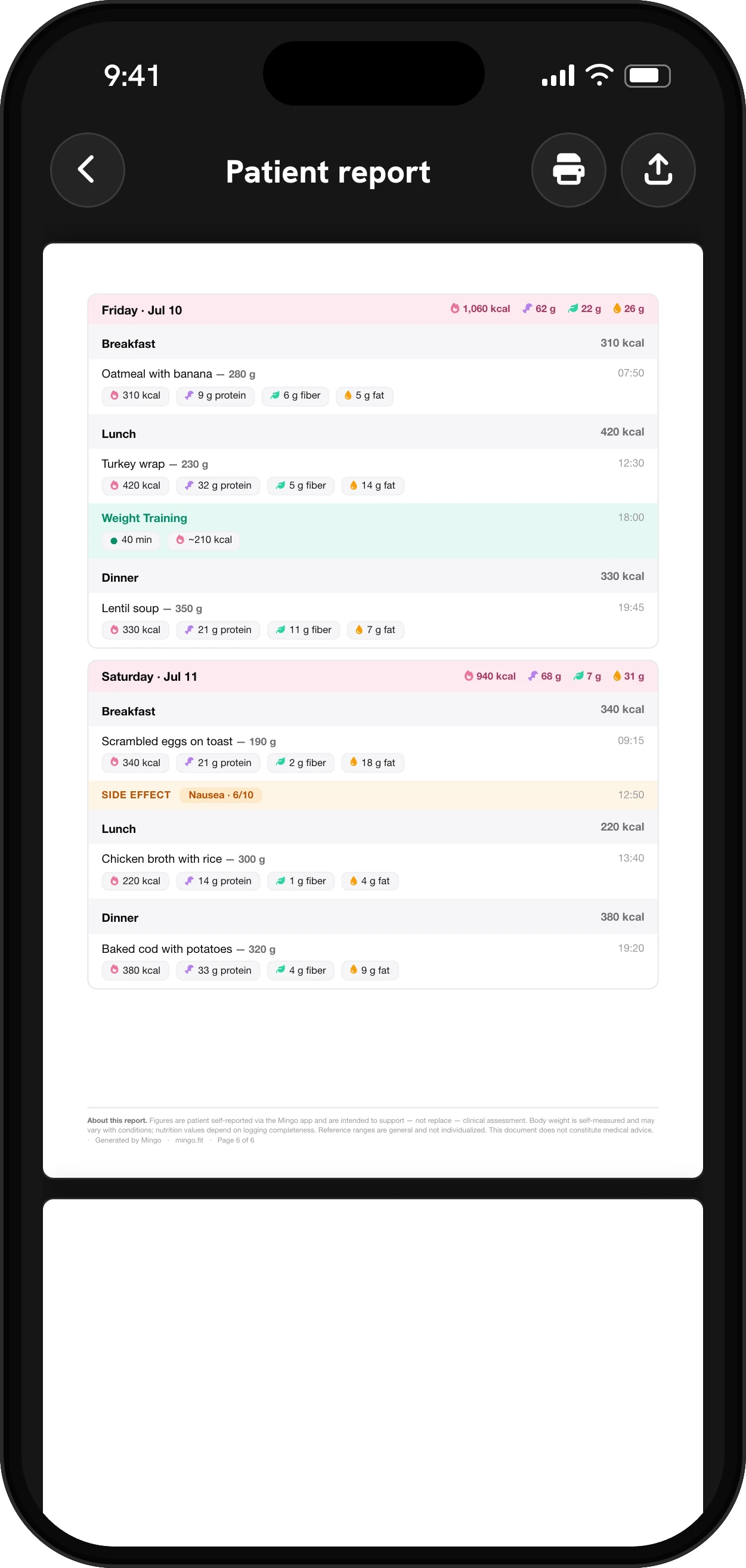
- A detailed daily log. Every day of the period, with meals, activity and any side effects.
About the medication curve
The report is upfront about what the medication chart is. It explains that drug exposure is modeled, not measured: each dose you logged goes into a standard one-compartment model using the medicine’s published half-life and time to peak, and the curve adds up every dose. The values are relative, meant to show trend and build-up, and they assume you took your doses as logged. The medication level page explains the same chart in the app.
Getting the most from it
The report is only as good as the log behind it. A few habits make a big difference:
- Log every dose, including the date you actually took it, not the day you meant to.
- Rate side effects when they happen, with a severity. The side effect tracker makes it quick.
- Weigh in regularly, or let your scale’s readings come in from Apple Health or Health Connect.
- Log meals and water, even roughly. Averages over weeks are forgiving of a missed lunch.
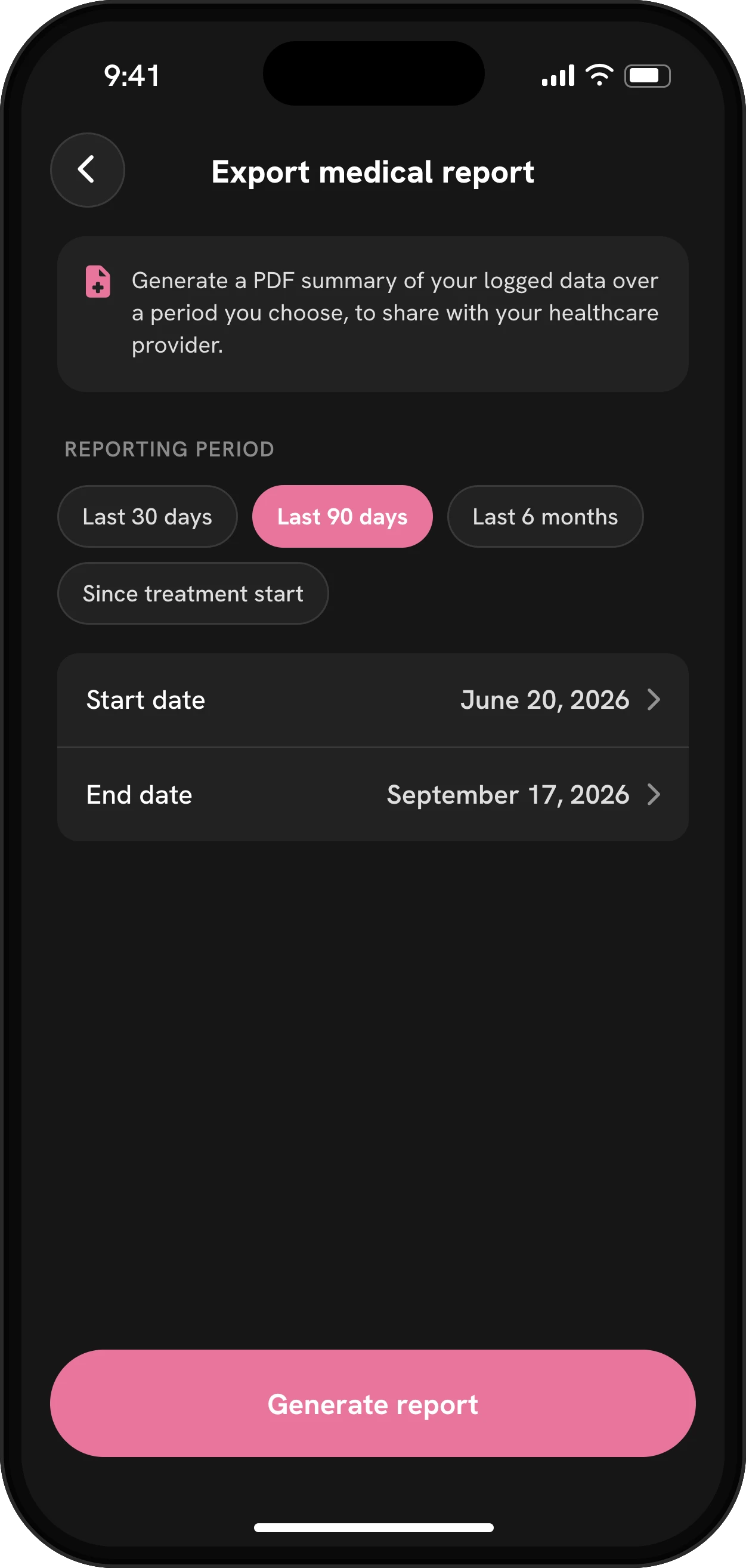
Before the appointment, generate the report for the time since your last visit, read it once yourself, and note anything you want to ask about. Then send it ahead through your clinic’s portal or email, or print it and bring it.
What to bring alongside the report
Patient-education guides from the National Institute on Aging and state medical boards give the same short list for any appointment, and a GLP-1 visit is no different. The report already covers the hardest part, your doses, weight, side effects and food over weeks. Add the rest yourself:
- A full medicine list. Every prescription, over-the-counter medicine, vitamin and supplement, with the dose. Some interact with each other, and your GLP-1 prescriber may not be the doctor who prescribed the others.
- Two or three questions, written down and ranked. Appointments run out of time. Put the one that matters most first, and say it at the start.
- Detail on anything new. For a symptom that isn’t in your log, note when it began, how long it lasted, what you were doing and what made it better or worse. The nausea tracker page covers what’s worth logging.
- What you want from the visit. Staying on your dose, talking about a step-up, help with a side effect: deciding beforehand keeps the conversation on track.
If it helps, bring someone to take notes, and before you leave, check you know the next step: the next dose, the next lab test, the next appointment.
For a telehealth visit, send the PDF ahead through the portal so it’s open on your prescriber’s screen during the call.
What it isn’t
The report doesn’t suggest a dose. Its observations only compare your averages with the targets in your own plan, for example protein or fiber below target, and say why that’s worth a look. It’s a clean summary of what you logged, with clear notes on what’s estimated. If a section is thin because you didn’t log much that month, it simply shows less; nothing is filled in for you. Decisions about your treatment stay with your prescriber, who can weigh the report against your history and labs.
Exporting the report doesn’t need a subscription. It’s laid out for a clinician to read, with each section labeled and the method for the medication curve spelled out on the page.
Mingo is a tracker, not medical advice.


